Wednesday, September 05, 2012

Part Three: Compare and Contract Key Characteristics of LAN Environments

Network Topologies: Networks are organised in a physical topology, an arrangement of machines that are connected to each other. Different terms are used to describe different "shapes" of topologies.
  • Bus: All devices are connected along one single arterial cable. 
  • Ring: Each host is connected to one other host on either side, forming a closed loop.
  • Star: All hosts are connected to a hub or switch in the center.
  • Extended Star: Hosts are connected to a hub or switch that is in turn connected to another hub or switch at the center. 
  • Hierarchical: As described previously, this can be described as a pyramid, with different devices at different levels. Core routers and switches would be present at the top of the pyramid, with Distribution layer switches below, and access-layer switches at the bottom. The topology typically takes the form of a pyramid of extended-star networks.
  • Partial Mesh: Some hosts are directly connected to other hosts, with little or no centralisation of links.
  • Full Mesh: All hosts are directly connected to all other hosts. 
 Logical topologies determine how hosts communicate. They define the fundamental way that the network runs. The two most common types of logical topology are token-passing, and broadcast.
  •  Ring-Passing topologies, like token-ring function by having a "token" passed from one host to the next, to the next. When a host wants to send data, it must wait until it has possession of the token, before it is able to transmit. Despite the name, token-ring LANs do not need to be in a ring physical topology.FDDI (Fiber Distributed Data Interface) is a ring-passing technology.
  • Broadcast topologies like Ethernet do not require rings. Ethernet itself uses CSMA/CD to avoid collisions on the media.
Networks operate in accordance with a set of rules that determine how they communicate. These rules are called Protocols. Network protocols exist to control the type of connection, how data is transmitted, and how to handle errors, among other things.

MAC Addresses: Mac Addresses (also known as BUIs - Burned-In Addresses) are in 48 bit hexadecimal format, and are divided into six groups of two hexadecimal digits.
The first three groups, that is, the first six numbers, are assigned to the manufacturer of a device by the IEEE. The first six numbers are the same for all devices manufactured by that company.
The last six numbers are called the organisational unique identifier, and are assigned by the manufacturer themselves.
A frame that any host sends over the LAN includes a destination MAC address. Any host without the matching MAC address drops the frame.

Ethernet: Ethernet frames didn't always have a length field. Before the Ethernet standard that we know now, DIX (Digital Intel and Xerox - What an unfortunate acronym for anyone with a mental age of 14 (like me)) not only combined the preamble and start of frame delimiter, but also listed the length/type field as just type.
Ethernet today uses the length/type field to identify the upper-layer protocol in use.

Ethernet Frames: From end to end.
  • Preamble made of alternating 1s and 0s "Hey, I'm about to transmit".
  • Start of Frame Delimiter "10101011" "Heh, tricked you".
  • Destination Address, Source Address.
  • Length/Type, this is an important one. If the field is less than 0x600 hex (a really crappy bike meet), it represents the length of the data in the data field. If it is 0x600 or greater, this field represents the type of protocol; 0x800 Hex is IP.
  • Data: This contains the payload of the frame, which is intended for the higher layers.
  • Frame Check Sequence: This allows for error checking of the frame.
 Helpful Reminder: Routers are useful for segmenting LANS. They only forward traffic outside a LAN if it is deliberately intended for another network. As a result, they block broadcasts.

The History of LANs: When ethernet networks started appearing, they started as simple networks connected at the center with a hub connecting them, and over time evolved into sophisticated topologies that operated on many layers of the OSI model.
Originally, LANs operated on a bus topology, using thick and thin Ethernet. Hubs (also known as multiport repeaters) became common in networks, as a way to retime and amplify signals now in a star topology.
The problem with hubs is that all signals travel to all devices, so the potential for a collision is high.

Eventually though, Bridges were introduced, which segmented the network into two separate collision domains.

Nowadays, we use switches, which are superior to hubs and to bridges. Switches filter by MAC address, and essentially, every connection between the switch and a host becomes its own collision domain. Switches, bridges and hubs do not filter broadcasts. The process of dividing a network into multiple collision domains is called microsegmentation.

Ethernet networks that operate only in half duplex can only allow one host to transmit or receive at a time. Collisions occur when two devices attempt to transmit or receive at the same time. When this happens, the device that first witnesses the collision transmits a jam signal. All devices invoke a backoff algorithm, and wait a certain amount of time before attempting to use the network again.
the more devices connected to a hub, the higher the potential for a collision.

Network latency slows connectivity, and is an especially unpopular thing with network gamers. The time it takes a NIC to receive or place a signal on the medium, and the time it takes that signal to travel across the network contributes to latency.
Layer 3 devices can increase latency, because they take more time than a layer 2 device to process network data.

Switches: Switches use MAC addresses to create direct virtual connections between two hosts on a network. These connections are awesome, because they allow each host to transmit and receive at the same time. Full duplex communications uses the bandwidth in both directions, allowing for a 20mbps connection on a  10mbps link.

Switches can operate in one of three forwarding modes:
  • Store and Forward: The switch receives and processes the entire frame before forwarding it.
  • Cut-Through: The switch forwards the frame as soon as it either reads the destination MAC address (default), or reads the first 64 bytes and then forwards the frame. The second mode is called Fragment-Free, and as the name suggests, exists to reinforce the integrity of transmitted data.
  • Adaptive Cut Through mode. Initially, the switch operates in cut-through, until there are a certain number of errors detected. Once this threshold is reached, the switch moves to store-and-forward.
 [I am having trouble finding information on how to configure these different switching modes on my catalyst 2950s. Either the 2950s do not support them (my 3550 definitely should) or operating in multiple forwarding modes is now a historical artefact. From what I can see on various cisco sites, as switches have become faster, the advantage of cut-through switching has diminished. This may or may not be correct, and further research is required].

 Routers, Bridges and Switches improve network functionality because they protect hosts from unnecessary traffic. Routers filter broadcasts and only forward packets that are destined for other networks to other ports. Switches divide collision domains substantially, and only pass frames over the wire to hosts with the proper destination MAC address.

Broadcasts: Remember, devices can send out layer 2 broadcasts to all hosts, by sending out frames with a destination address of FF-FF-FF-FF-FF-FF. Switches do not divide broadcast domains (remember broadcast storms).

When designing a network, it is important to bear in mind the number of broadcast and the number of collision domains that your design will have.

Tuesday, September 04, 2012

Part Two: Describe the Spanning-Tree Process...

Preface: For this blog entry, I am referring to Scott Bennett's book "31 Days Before Your CCNA Exam". While the occasional passage may be copied from this book, it is not my intention to infringe upon the copyright of this work (which is ©2007, Cisco Systems Inc), nor is it my intention to make the content of the book available to read online. 

Note for any casual readers: I hope you find this entertaining and perhaps even informative. It might seem a bit circuitous and at times perhaps even silly, but when describing things quickly, I tend to describe them in very train-of-thought type ways. I'll repeat myself, refer back to stuff I might not have said, perhaps even (I hope not!) contradict myself from time to time, but hey, this is a learning experience for me too, and as long as I know what I mean, that's the important thing ;-).

Switches filter frames by their layer 2 MAC address, and can speed up a network. But if you want to start adding backup connections to a switched network, it's important that you run Spanning-Tree Protocol (STP).
Redundantly connected switches provide a valuable backup connection, but if something goes wrong and these backup connections end up causing loops, the formerly-useful backup links can bring parts of the network grinding to a halt. 

How It Works (Or "How Stuff Goes Wrong"): 

Remember. If a switch does not recognise the destination MAC address for a frame, it broadcasts/floods that frame out of all ports except the port that originally received the frame. Fair enough. Consider what happens though, if a frame comes in, destined for an address that none of the switches recognise. Note that the diagram is used just to describe the topology of the networks, and not the state of the links. These links are all up, ok? :-)

Switch 0 receives the frame from Router0, doesn't recognise the MAC address, so floods it out of all ports except the one it arrived on, so the frame arrives at Switch 1 and Switch 2. Neither of those recognise the address of the frame, so they flood it out in the same manner, essentially passing the frame across the link to each other (and their respective PCs, but they're just there to look pretty for the time being). What then happens, is that Switch0 receives two frames, one from S1 and one from S2, both of which are copies of each other, but neither of which have known MAC addresses. So what happens? S0 floods S1's frame to the router and to S2, and floods S2's frame to the router and to S1. When S1 and S2 receive these frames, again, they flood them to each other, and from there back up to S0, and round and round they go. Switches have no way of recognising frames that it has previously received.
The situation like this, where frames just go round and round and round, is called a loop. Imaginative, huh?

Okay, the situation above doesn't sound that serious, switches process loads and loads of data, and a few misdirected packets here and there aren't that big a problem surely?

Okay, what about when you're looking at a redundancy topology like this?:


Verwarnung! Sendung Sturm! (Or "The Network Falls Over"): 

Loops in themselves are pretty annoying, but you'd think that on a small topology with a single redundancy link like the one in the first example, they wouldn't become that big a problem. But the size of the problem increases with the size of the network.
On our new "bigger" topology, it's a different picture. Let's say for example that switch 9 receives a broadcast frame from a PC attached to it. Switch 9 would forward the frame to the two multilayer switches that it's connected to, MS7 and MS5, which would duplicate the broadcast frame, sending it to another 6 and 4 switches, respectively. Before we realise what's happening, one broadcast frame has become 13, and so far, the frame has only gone through two cycles of duplication. While the switches don't send the frames back out on the ports that they were received on, there are still 17 devices with a total of 30 connections, and each device duplicates every broadcast frame that it receives, so you can imagine the rapidly increasing amount of traffic, with broadcasts being received, duplicated, and broadcast, over and over again, without end. This is known as a Broadcast Storm. That people intentionally introduce broadcast storms into networks as a form of attack tells you just how badly these situations can affect network performance. Before you know it, for every genuine data frame that needs to be forwarded, there are a huge (and always increasing) number of broadcast frames that need to be processed first. Within a short time, the bandwidth is completely eaten up by broadcast frames, the switching hardware is working at 100% processing load, real network traffic slows to a crawl, and the network becomes unusable.

Enter Our Hero: To stop this situation, or to at least mitigate it, we have Spanning-Tree Protocol.

STP is defined by the IEEE 802.1d standard, and exists to identify the shortest paths in a switched network. It does this so that it can build a loop free topology.
"But wait", you ask. "How can a protocol change the way the network is wired?" Well, obviously it can't. However, what it can do, is change the way that each switch uses the ports, going so far as to block non-STP-management traffic from being received or sent on ports.

Early, when the switch is powered on, STP kicks in, and starts going through the Election Process.
This process exists to define the Root Bridge, a kind of "Main Switch". Having a root bridge allows STP to create a logical "tree" over which to send frames. It allows the other switches to say "That's the 'main' switch, let's use that as the top of our tree".

The Bridge Protocol Data Unit exists to allow each switch to identify the root bridge. Once the root bridge is determined, the switches are then able to maintain a single link towards the root bridge, using designated ports.

The Election Process:

A root bridge election is triggered when either a switch has finished booting, or when a path failure has been detected. All switch ports are initially in the blocking state, and this lasts for 20 seconds. This prevents a loop from occurring before STP has had its chance to do its thing.
After switches have booted, they immediately start sending BPDU frames to advertise their BID - their Bridge ID.

Important notes to bear in mind at this point:
  •  The BID consists of both the priority value of the switch, and the MAC address of the sending switch.
  • If two or more switches have identical priority values, the one with the LOWEST MAC ADDRESS has the lower bid. 
  • The LOWER the bid, the better.
Initially, all switches assume that they themselves are the root bridge. The BPDU frames sent out initially have the root ID field matching the BID field, indicating that each switch considers itself the root bridge.
As each switch receives BPDU frames, it compares the root ID from the frames, with the switch's locally configured root ID. If the root ID on the received frame is lower, the locally held one, the switch updates the locally configured root ID to match the new, lower one.
Once this update is complete, the switch incorporates this new root ID in all future BPDU frame transmissions.
The election process ends once the lowest bridge ID populates the root ID field of all switches in the broadcast domain. 

Port States:
  • Blocking: To begin with, when STP starts up, all ports on all switches enter the Blocking State. This means that the ports are essentially shut down, with the exception of one type of traffic, the BPDU.
  • Listening: The port [switch? Is this an error in the book?] checks for multiple paths to the root bridge, and blocks all ports except the port with the lowest path cost to the root bridge. 
  • Learning: The port MAC addresses and begins to populate the MAC Address Table.
  • Forwarding: The port is now part of the active topology, and forwards both data and BPDU frames.
Ports that are not the lowest cost path to the root bridge return to the blocking state and remain there until STP is recalculated.

Types of Ports:
  • Designated Port: Think of the designated port as the designated driver. It's the only type of non-root port that is still allowed to forward traffic on the network (Also known as the Downstream Port, as it forwards traffic away from the Root Bridge).
  • Root Port: The root port is the port (on any switch that isn't the root bridge) that is closest to the root bridge (Also known as the Upstream Port, as it forwards traffic towards the Root Bridge).
  • Non-Designated Port: These are ports that STP puts into the blocking state. They do not forward traffic.
What Happens Now?: Even though the topology has been created successfully, with an agreed-upon root bridge and the ports in their final states,  BPDUs continue to be sent advertising the root ID of the bridge, every two seconds.
Each switch is configured with a maximum age timer that determines how long a switch retains the current BPDU configuration, and this is usually set to 20 seconds.
This means that if a switch fails to receive 10 consecutive BPDU frames from one of its neighbours, the switch goes "hey, the path must have failed. If so, this BPDU info is no longer correct!" and the whole process of electing a new root bridge is triggered again.

Verification: You can verify the spanning tree port assignments  with the "show spanning tree" command, from privileged exec mode.

Let's fire up the lab and see what this looks like:

Here we see that we have three interfaces up. One connects to a PC (edge P2p), and two connect to switches (S2 and S3). Because S2 and S3 each only have one connection to S1, both of S1's connections are Desg (Designated) ports.

Notice in this second example, in this case, the output from Switch 2, that the root bridge ID is 32769 (S1) and is reachable by port FA0/22 (The connection between S2 and S1).
Also note, that while FA0/22 has been configured (by spanning-tree) as a Root Port, FA0/23 is "Altn". What this means is that this port has been defined as an "Alternate" port, which is a port role used by RSTP (Rapid Spanning Tree Protocol), which a more advanced version of the original STP (and is therefore in use by default, on the switches in my lab). More on this later.

Changes to Topology: A switch decides that a topology change has occured, either when a port that was forwarding has gone down, or when a port transitions to forwarding and the switch has a designated port.

The switch notifies the root bridge of the spanning-tree, which broadcasts the information to the entire network.

The switch that notices the change sends out TCNs (Topology Change Notification) BPDUs  on its root port. The receiving switch (unless it is the root bridge itself) is called the designated bridge. The designated bridge replies to the TCN with a TCA - a BPDU with the "Topology Change Acknowledgement" bit set. This process is repeated, with the designated bridge sending out its own TCN to the next switch along the route (which itself becomes the designated bridge), until the root bridge itself is contacted.

Once the root bridge becomes aware of a topology change, it sends out its config BPDUs with the Topology Change bit set.

These BPDUs are received on forwarding and blocking ports.

Manual Configuration: There are five commands that are really beneficial where STP is concerned. These are as follows:
  • (config)#Spanning-Tree Vlan 1[ID] Root Primary [Secondary] : Sets the switch to be either the primary root bridge, or the secondary root bridge of the network. You can configure a switch to be a secondary root bridge, in case the primary fails.
  • (config)#Spanning-Tree Vlan 1[ID] Priority [0-61440 in increments of 4096] : Sets the priority of the switch manually, allowing for some fine tuning.
  • (config-if)#Spanning-Tree Portfast: Skips the majority of the STP process and forces the ports it is applied to, straight to forwarding. Portfast should only ever be used on ports that are connected to a single host (as opposed to a hub or a switch).
  • (config)#Spanning-Tree Mode PVST [Rapid-PVST] : Changes the mode of STP operation.
  • (config-if)#Spanning-Tree Cost 1 [value] (Not modeled in packet tracer for some reason): Allows you to manually assign costs to each port, to create desired routes to the root bridge.
Modes of STP Operation: Since it was created, STP has gone through several incarnations, each with a variety of features. Some of the more widely used are:
  • Rapid Spanning Tree: An updated version of STP, RSTP allows substantially faster convergence. Not only this, but it permits the use of Alternate ports in STP topologies (as discussed earlier). RSTP allows each port to perform a role seperate to its final state. For example, a designated port could temporarily be in the discarding state, even though its final state is to be forwarding. Port states and roles are able to change independently of each other. A useful example is that of the Alternate port, which is in a discarding (not transmitting data) state by default, but upon being needed, passes into the forwarding state.
  • Per Vlan Spanning Tree: A network can run an STP instance for each VLAN in a network, which means that each VLAN has its own defined primary and secondary root bridges. This allows for extra redundancy.
That's all for now.


Wednesday, August 29, 2012

Part One: Describe Network Communications Using Layered Models...

Preface: For this blog entry, I am referring to Scott Bennett's book "31 Days Before Your CCNA Exam". While the occasional passage may be copied from this book, it is not my intention to infringe upon the copyright of this work (which is ©2007, Cisco Systems Inc), nor is it my intention to make the content of the book available to read online. 

Note for any casual readers: I hope you find this entertaining and perhaps even informative. It might seem a bit circuitous and at times perhaps even silly, but when describing things quickly, I tend to describe them in very train-of-thought type ways. I'll repeat myself, refer back to stuff I might not have said, perhaps even (I hope not!) contradict myself from time to time, but hey, this is a learning experience for me too, and as long as I know what I mean, that's the important thing ;-).

The first and most important thing that newcomers to networking theory are taught, are the ins and outs of layered models. Layered models provide a visual and conceptual representation of the most fundamental inner workings of the network.While initially appearing confusing, it's essential to your understanding of networking theory that you understand two particular layered models, inside and out.

THE OSI MODEL:


The thing to the left, is what's called the OSI model - The Open Systems Interconnect[ion] model. I'm not going to go into the history of it (released in 1984 to simplify and standardise network communications), but I will say that the OSI model - for us - is pretty much a brute fact - it's just there, it just exists. For thousands of classes of network engineers the world over, it is the scaffolding that holds our understanding of network communications up. Why is this relevant to us? Well, it will eventually become apparent, as future modules reference the OSI model.

It's a multilayered model. Think of it as a cocktail where all the layers are poured carefully on top of each other. I would show you a picture of one, but you'd be amazed how hard it is to find a picture of a layered cocktail on the net, that isn't payware on some stock photography website.

The layers of the OSI model are numbered from the bottom up, that is, 1=physical, 2=data link, 3=network and so on.

An easy way to remember the layers of the OSI model is with the mnemonic Please Do Not Throw Sausage Pizza Away 
That is,  Physical, Data-link, Network, Transport, Session, Presentation, Application.
It works the other way too, with All People Seem To Need Data Processing.

As information travels across a network or across the internet (itself simply a network of networks), it is continually changed and updated. While your request for a certain webpage (for example) - the payload - remains the same from source to destination, the box - or multitude of boxes, as you will see - that it travels in is continually redirected, relabeled, sometimes even repackaged altogether, while on its travels. These different types of labelling or packaging are called PDUs.

PDU: Protocol Data Unit: Think of this as a specific type of parcel. Layer 3 PDUs are packets, for example, whereas Layer 2 PDUs are frames. Layer 2 can't read packets, and layer 3 can't read frames.
The layers of the OSI model communicate with each other, but cannot read each other's PDUs:

For a layer to be able to "read the label" and direct the data where it needs to go, the data (or PDU) needs to be placed in a box designed for that layer, that is, encapsulated in a layer [x] PDU.

Example (in VERY general terms (we haven't gone onto ARPs or reverse ARPs or anything like that yet so I'm missing a great deal out), this is just for the purposes of describing the OSI model, remember)


PC1 at the left, wants to send some data to PC2 at the right. connected to either PC is a Switch (square), and these are connected to each other, via two Routers (round). I've used both switches and routers in this example, because:
  • In most cases, switches forward data in frame format, based exclusively on the layer 2 address of the frame (Layer 3 and higher multilayer switches are beyond the scope of the CCNA)
  • Routers forward data in packet format, based exclusively on the layer 3 address of the packet.
Remember that I referred to a multitude of boxes? 

PDUs can be nested one in side the other. When you send information across the an ethernet network, what you're generally sending is Data, inside a segment, itself inside a packet, itself inside a frame. The frame is the lowest level PDU we deal with in this example.
So again, the higher level puts stuff inside an addressed box to send it to a lower level, which puts that box in another, bigger box, with its own address label written in that layer's own unique language, and sends it to an even lower level, which puts it in an even bigger box, and so on and so forth.
Remember transporters from Star Trek? that's layer 1. When the layer 2 PDU is finally ready to be sent, it goes on the transporter pad, and it's dematerialised. All those little atoms and all that energy flowing about? That's layer 1, and those are the bits.
You get to the transporter room wherever you're going, and the box rematerialises again. That's a layer 2 PDU, having been transmitted over Layer 1.

  1. PC1 creates a frame destined for the router, addressed to the router with the router's layer 2 address. Inside that frame is a packet, with a layer 3 address. 
  2. Copper wiring can't carry frames though, it can only carry electrical current, so the PC, having created the frame, transmits the bits, just like the star trek analogy, to the layer 2 Switch. The switch receives the bits and reconstitutes them into a frame.
  3. The switch receives the frame, examines the address label, notices that it is for the router, and (again turning it into lots of bits, sends it on to the router. 
  4. The router reassembles the bits into a frame, and then (remember, routers don't care about layer 2 addresses) opens the frame (box) and lifts out the packet (the smaller box inside), discarding the remains of the data that made up the frame. 
  5. The router examines the address label on the packet, realises it now needs to be passed to the second router, and puts new address labels on the packet, marking it for the attention of the second router. This packet is also turned into bits, which are sent to the second router. 
  6. The second router repeats the process, reconstituting the packet and reading the address label on it. Realising that the destination is a layer 2 address, the router takes the packet, places it inside a new frame, sticks a lovely new layer 2 address on it, and sends it towards the switch, turning it into bits in the process.
  7. The second switch receives the bits, reconstitutes them into a frame, reads the layer 2 address which it recognises as belonging to PC2, and forwards the frame onto PC2's network card, as a stream of bits.
  8. The stream of bits reaches PC2, where it is turned into a frame again, the PC realises "hey this is for me" and works its way through the packaging, opening as many boxes as it needs to, packet, segment and all, to find the data it's after. 
 Now, it's important to remember that this example isn't intended to go into the ins and outs of data transmission, nor does it describe in explicit detail, the steps of routing a packet from a source host to a destination host. That is for later on in my studying.
What the example does do though, is illustrate the fact that during its travels from source to destination, data is moved from one layer to another and back again (often repeatedly), and more importantly, emphasises the role of the OSI model in our understanding of this process.

In summary, the layers are as follows:
  • 7: Application Layer: This consists of E-mail, FTP and other programs that allow the user to enter data.
  • 6: Presentation Layer: This is where encryption and compression can occur. Here, data is represented in a standard syntax and format, such as ASCII.
  • 5: Session Layer: This layer is responsible for setting up and closing down sessions between programs that exchange data.
  • 4: Transport Layer: Segments are transported, helped on their way by functions that ensure reliability of transmission, detect errors, and control the flow of data.
  • 3: Network Layer: Here, Packets are routed over the network. The path they are sent on is determined by their layer 3 address, the IP Address.
  • 2: Data Link Layer: On this layer, frames traverse the local area network. This travel is facilitated by their layer 2 address, the MAC Address.
  • 1: Physical Layer: This is where the magic happens. Data is transmitted as a series of light pulses (fibre optic), electrical pulses (copper cable), or radio waves (Wireless/Wi-Fi).

 THE TCP/IP MODEL:

 In the CCNA, we learn about a second type of layered model, known as the TCP/IP model. As with a great many technological concepts, the TCP/IP model was created by the military (or rather, the United States Department of Defense, on behalf of the military). In this case, the intention was to define a resilient network structure that could ensure consistent communications during nuclear war. As far as my studies indicate, the TCP/IP model is essentially a different concept to describe identical operations. We may touch on this again later (a later passage in the book actually indicates that this is not true. How so remains to be seen).

Remembering which layer of each model corresponds to its counterpart is a small challenge. It's easiest to remember that the layers A,P,S (7,6,5) which are not really dealt with by networking students, at least not in the CCNA curriculum, are bunched together into one big layer. Transport is unchanged, Network simply gets a name change and becomes "Internet", and then you have the two (or one) layers/layer at the bottom. 3,1,1,2 helps me remember. I don't know why.

Sublayers: In order to complicate things a little more, the data link layer of the OSI model actually consists of two sub-layers. OSI's layer 2 combines these 2 sub-layers into one layer, in much the same way that layer 1 of the  TCP/IP model combines the OSI model's L1 and L2 into one layer. It seems to be a conceptual thing.
  • The upper sub-layer is called the Logical Link Control sublayer. This sublayer acts as an interface with the upper layers.
  • The lower-sub-layer is called the Media Access Control sublayer, and, guess what, it controls access to the media. Ethernet operates in the physical layer, and in the MAC sublayer. 
 Frames: Layer 2 frames are made of different types of information called fields. These fields allow the receiving host to identify where a frame starts, where it ends, where it needs to go, and whether it has been transmitted correctly. Without the structure of a frame, the layer 1 transmission would just be a long squiggly stream of binary data. The fields in a generic frame are as follows:
  • Start of Frame: This field identifies the beginning of the frame.
  • Address: This contains the source and destination layer 2 (MAC) address.
  • Length (or) Type: If this is a length field, it determines the length of the frame. If it is the type, it identifies the layer 3 protocol for the frame.
  • Data: This is the important part. This is where the data intended for upper layers is kept. Despite being a layer 2 frame, upper-layer data is intended only for layers 3 and 4 of the TCP/IP model. In the case of the OSI model, it refers to layers 3 to 7, as you'd expect.
  • Frame Check Sequence: We'll come across this one a lot. This field provides a number that represents the data in the frame, as well as a way to check the frame and arrive at the same number. Something called a Cyclic Redundancy Check is a common way to calculate the number, and to check for errors in the frame.
 Three layer 2 technologies that control how the media is accessed, are Ethernet, Token-Ring, and FDDI (Fiber Distributed Data Interface). As part of the MAC sublayer, these technologies are divided into two groups: Deterministic and non deterministic. FDDI and Token-Ring are deterministic, as they provide a way for hosts to take turns accessing the media. Ethernet is nondeterministic and uses something called Carrier Sense Multiple Access/Collision Detection (CSMA/CD) as a way to access the media. This means that hosts will check whether the line is busy, and will only transmit if it is not.
If two hosts transmit at the same time, a collision would occur, and both hosts would be required to wait a random amount of time before trying again.

It is important to pay attention to the name of the specific layered model being referenced, in any layered model question.

The TCP/IP Application Layer: This layer features protocols and programs that prepare data to be encapsulated in lower layers. These programs include TFTP, FTP, SNMP, SMTP, Telnet and DNS.
More on these later.

TCP and UDP (User Datagram Protocol) operate as protocols of the TCP/IP transport layer. Both protocols segment data from the applicaiton layer and send the segments to the destination. UDP differs from TCP in that it just blurts data at the destination host, and doesn't check whether it has been received. TCP on the other hand ensures reliable transfer with receipt acknowledgements, sequencing, and mechanisms to control the flow of data, and is therefore described as a "connection-oriented" protocol.

The TCP/IP Internet Layer is responsible for finding the best path for packets over the network. It is aided in this role by the inclusion of the connectionless protocol, IP. Remember, TCP Is connection-oriented, IP is not.
Other protocols that work at the internet layer of the TCP/IP model include:
  • ARP (Address Resolution Protocol) to find a MAC address when only the IP address is known.
  • Inverse/Reverse ARP (You've guessed it), to find an IP address when only the MAC is known.
  • ICMP: Internet Control Message Protocol. 
 The TCP/IP Network Access Layer is also known as the "host to network" layer, and is responsible for providing the protocols that allow the data to access the physical media. Also found within this layer, are protocols that define the standards for the network media (copper, fiber, radio etc). Examples of these protocols are: Ethernet, Fast Ethernet, PPP, FDDI, ATM, and Frame Relay.

Important!

Remember, the application layer of the TCP/IP model includes the Application, Presentation and Session layers of the OSI model. Note that the network access layer includes the Data Link and Physical layers of the OSI model. 3,1,1,2.
The OSI model is more of an academic and theoretical construct, whereas the TCP/IP model is the basis for the development of the internet.

Flow Control and Reliability:

When you're thinking about the transport layer, remember that two major functions of the layer's role are Flow Control, and Reliability, with a capital R.
The transport layer achieves these goals through concepts such as sliding windows (not to be confused with the similarly named Gwyneth Paltrow movie), segment sequence numbers, and acknowledgements.

When two hosts get together and establish a TCP connection at the transport layer, they need to agree on what constitutes a "reasonable" flow of information. It is this flow control, that allows the receiving host to process the received information, in time to receive subsequent segments from the transmitting host.

In order to start passing segments at the transport layer, both hosts must set up and maintain a session. The software and operating system of the sender communicate with the receiver's OS and software, to set up and syncronise a session. TCP avoids congestion at the transport link, because the receiving host is able to send ready or not ready messages to the sending host.

THREE-WAY HANDSHAKE: Applications that use TCP must first set up a session as described above. The sender sends a SYN (synchronise) message. The receiver receives this message and sends back an ACK (Acknowledgement) message. The original sender receives the ACK, and transmits the third message, "ACK+1". During this process, the sequencing for communications via TCP is defined. Both hosts must send an initial sequence number, and both hosts must receive an acknowledgement, before the communication can proceed.

SLIDING WINDOWS: This function depends on the concept of a "window size". If the sender transmits a segment, the receiver receives it, and says "I received your segment, send the next one", that is a window size of one. If the sender transmits seven segments, and the receiving host says "I received your segments, send the next seven", that is a window size of seven. The one, or the seven, are the window size.
Now, any connection where the transmitting host is only sending one segment at a time, is going to be chock full of traffic, but not particularly fast. This is where sliding windows comes in.
The sender might send three segments, and in return the receiving host says, "I received your three segments, try sending four". Four are sent, in return the reply comes back "I received four, try sending five". Before you know it (in an ideal world), the sender is sending dozens of segments between each acknowledgement, and the connection is nice and speedy.

If at some point though, there's a problem, if data falls into a hole somewhere and the receiving host just sits there twiddling its thumbs, still waiting for the data to turn up, the sending host thinks "Hang on, I haven't got an acknowledgement, I'll send the data again, but this time I'll use a smaller window size. So the window size can decrease, as well as increase.

Sliding windows is the reason why, when you're downloading something, the computer changes its mind every second, when it comes to telling you how long you'll need to wait before the download is complete. Kind of like this. An annoyance this may be, but at least now you know why it does it.

ACKNOWLEDGEMENTS: How does the sending host know when to retransmit a segment though? Easy. Each time a "window" of segments is transmitted (and received at the other end), the receiving host acknowledges the receipt of the "window" in its entirety (remember, when using a greater window size than 1, the receiving host does not acknowledge each segment), and along with that acknowledgement, transmits a request for the next numbered segment that it expects to receive (the first one in the new window, along with the other segments that fit into that window).

Like this:

The "ACK" and the "4" are two separate parts of the same message. Essentially, ACK 4 means "I've received this window, please send the next bunch of segments, starting with segment 4".

This is all well and good. We know what happens when the data is received okay, and we know what happens when none of it is received.
But what happens when some of it is received, but not the rest? Again, this is where ACK numbers come in. Picture the diagram above, with a window size of three, but imagine that this scenario occurs:

SEND 1, 2, 3.
ACK 4.
SEND 4, 5, 6.
ACK 6.

Wait, what happened there? ACK 6? It's supposed to be ACK 7, right? Right. But this time round, the receiving host didn't receive segment number 6. So what happens now? Does the ACK6 mean that the sending host will transmit 6, 7, and 8? Well, no. I have to admit, I'm not sure why, and it wasn't ever really explained to me, but what actually happens in this scenario, is this:

SEND 1, 2, 3.
ACK 4.
SEND 4, 5, 6.
ACK 6.
SEND 6.
ACK 7.
SEND 7, 8, 9.

Weird huh? There is a reason for it, but as I say, at the moment I'm not sure what it is.

TCP COMPARED TO UDP: FTP, HTTP, SMTP and Telnet all use the transport layer TCP protocol. All of these protocols benefit from the connection-oriented reliable data transfer that TCP provides.

Remember "fields", those little different types of data inside a TCP segment?

Here they are:
  • Source Port
  • Destination Port
  • Sequence Number (remember, just as described above)
  • Acknowledgement Number 
  • Header Length
  • Reserved
  • Code Bits
  • Window (see?)
  • Checksum
  • Urgent Pointer
  • Option
  • Data
Many of these fields are filled with tiny bits of incredibly useful data, that ensures timely and reliable delivery of the segment payload.

UDP is used by other protocols, including TFTP, SNMP, DHCP and DNS.
UDP is a connectionless transport layer protocol. There's none of the lovely sequencing or error checking here. Think of TCP as the computer version of arranging to make a speech in front of invited guests, and UDP as the computer version of sticking your head out of the window and yelling BLARGH!!, while hoping that the people you want to reach are listening, and can hear you.

Error checking in UDP is left to the higher layer protocols, so while software applications might be able to tell whether they've received a message correctly, the UDP protocol itself doesn't care either way.

The fields inside a UDP segment are as follows:
  • Source Port
  • Destination Port
  • Length
  • Checksum
  • Data
So why would anyone use UDP when TCP does a better job? Easy. TCP has a lot of what we call overhead. This is where, to deliver traffic from A to B, TCP actually causes quite a lot of traffic itself. A computer receives a couple of hundred TCP packets, and on the way, those sync numbers and ack numbers and window size settings have already been read hundreds of times, before the destination host has even had the opportunity to read the data.
UDP might be rough and ready, but it takes up less bandwidth and device (switch, router etc) resources to process.


PORT NUMBERS: where a source and destination MAC address can identify the specific machines that the data was sent from and intended for, another type of number, called a port number, identifies which individual software package the data is intended for.
You know what it's like, you're on facebook, you're on google, you're checking your email, there are half a dozen different websites open on your browser, and then windows is updating itself - yet again.

But what is there to stop your computer just getting totally confused with a deluge of data that it doesn't know how to process? Imagine if your email data went to your firefox window, or if, when loading a webpage, firefox tried to open the windows update data, while windows update scratched its head trying to figure out what to do with the latest icanhascheezburger pictures.

Port numbers exist to stop this from happening. For example, all HTTP (webpage data, broadly speaking) data entering your machine destined for your web browser, would  be encoded with a port number of 80. Your computer would read the data and say, "Ah, port 80, I'm going to send this to firefox". If you want to download a file from an FTP (File Transfer Protocol) server, it would come encoded with a port number of 21 "Ah, port 21, this needs to go to the FTP program".
Port numbers are yet another clever gizmo that makes internet communications possible.

For a list of popular port numbers in use, go here. Doom fans will be amused to know that Doom uses UDP port number 666, which made me laugh when I found out.

FINAL BIT FOR TODAY: NETWORK LAYERS...

When designing a network, network engineers use what is called a hierarchical model (the term is used so often in Cisco classes that I spelled hierarchical twice just now without even having to look how to spell it).

The hierarchical model essentially means that devices are grouped into one of three ranks, or layers (hierarchical model layers are completely different from network model layers). These layers are:
  • Core Layer: serves as the backbone of the network, where high speed transmission occurs. This layer generally consists of very powerful (and uber expensive) switches and routers.
  • Distribution Layer: provides "policy based" connectivity, meaning that the majority data goes where it needs to go, without having to bother the core layer with it.
  • Access Layer: This connects directly to the end users, PCs, IP phones, etc.
That's all for today, folks. Coming soon? A lovely rant about the awesomeness of Spanning-Tree Protocol.

Ciao, I'm off to the pub.


Tuesday, August 28, 2012

Let's Get Started...

Okay, so after the non-negligible distractions of the past 6 months (which I'm not going to pay lip service to), it's time to finally get moving forwards again, and get working towards finally taking and passing  the Cisco CCNA exam.

I graduated in early spring this year from college, taking with me both a level 2 and a level 3 C&G IT certificate, which I'm pretty pleased with. Essentially, I passed both courses.
I still need, however, to take the final CCNA exam, which is vendor certified, which in a nutshell means that the certificate comes direct from Cisco, and says "We approve of this guy configuring our hardware, we trust him to do it properly etc etc". 

With that in mind, in April I bought my own lab. What this is, is essentially my own kit to practice on at home. Packet Tracer is all well and good, and it's pretty versatile, but since I'm a hands-on type person, I much prefer getting to grips with the hardware itself rather than just the concepts.

 What you're looking at is my own little internetwork, primarily comprised of 7 connected devices, which then have computers/laptops/printers etc connecting at either end.

From top to bottom, we have:

  Total cost about, hmm, about £450 including the little stuff like cables and whatnot. Sounds expensive, but when it's to help with qualifications, it's really not. Networking hardware depreciates faster than a brand new car. In a derby. With monster trucks.

Seriously, this expansion module (For something even bigger and expensive-erer) is nearly 50 grand! This is what networking hardware costs, and this is why people want engineers who are qualified and certified, by the vendor, by the book.

I'm doing my studying with the help of a rather cool book, which is one of the few paper books I've bought for a while.
I've actually had it for a while so I'm stretching the definition of 31 days somewhat, but hey, I've got to take the exam sooner or later. Would be a waste otherwise.

So, let's see how we go. Rather than take the exam 31 days from now (I don't have the money to book it at the minute) I'll run through the book, and make sure that I understand the concepts described therein. I've got some additional hardware that may be on the way (gratis) so it's my intention to practice the concepts I describe in each section.

So for the time being, this is going to turn into something of a network oriented blog. That's my intention anyway. Let's see how it goes...

Wednesday, March 28, 2012

Placeholder

I hope that I can come back and supercede this post sooner rather than later.

You folks might have noticed that I've stopped posting.

I'm still here, still alive and breathing.

There's so much stuff going on in my life that I can't bring myself to take the time out to post about what's been happening recently.

I have lots of things happening at the moment, my life has turned into a real day to day free for all.

There's nothing I really want to talk about. Sure I'm still waking up, going to work, coming back and sleeping, but am I enjoying anything enough to want to tell you guys about it? No.

I'm in a kinda crappy place right now and all hell is breaking loose. I'll be back to let you guys know about it one way or the other. How soon that happens, is another story.

I'll try and be more cheerful in future, but for now, I've got a lot going on.

All the best, stay safe.

[EDIT] There's a phrase: "One day, I'll look back on this and laugh".

When I do, that will be an awesome day indeed.

Saturday, December 31, 2011

Well well, Christmas In Review (sort of)...

Yeah I noticed that my Christmas entries were a bit sparse, and didn't really emphasise how nice it was to be able to get together and spend time with everyone, in a spirit of cheerfulness and Christmassy whatnot.

I'd have to say that the highlight of my year, this year, was our trip to London, where we spent ages and ages wandering around an awesome christmas market, seeing the talking moose (which my brother and wife (his not mine)) did actually see (!) and browsing wonderful Christmassy stalls.

We'd not been back 8 hours before we were up again, on our way to Gainsborough as always, and that was nice too.
At our traditional Christmas Eve food shopping, I had to go back to the car to fetch the forgotten shopping list, and took my ickle nephew with me. As a result, we more or less ended up split into two parties each doing our own seperate shopping, but we got back together in time to pay.

Christmas day itself was great fun, and though I didn't get a single thing on my Christmas list (I did write one, and indeed left it on the fridge for 6 weeks beforehand), I was only mildly annoyed, becuase I got lots of other cool stuff.

More importantly, everyone seemed to like the presents that I got them, which always brings a smile to my face :-).

Christmas dinner was great, tasty, yummy, and though I took ages, I actually ate every single thing.

Boxing day was another fun occasion, with almost everyone coming round to share in our awesome little banquetty buffet thingie which we have, and again it was nice to get together as a family.

I can't remember too much of the two or three days after that. A few days ago I made some nachos with the awesome nacho dish thing that my brother and wife (his not mine) got me. With it, I bought some beer. After the beer ran out, I started on the Mead.

Awesome nachos, nice cold beer, tasty mead, awesome Skyrim (there is no other kind), and awesome music (that fits quite well with Skyrim, and has almost become its surrogate soundtrack), well that sounds like my idea of a good night in. Which is awesome really because it's exactly the night in that I had.

I'll do it again soon. This time round I'll be able to get into the spirit of things a little more authentically hehe (Image is not my property but I'm stealing it anyway because it hasn't arrived yet).
All I need now is a few steel ingots placed around my room, some wolf pelts on my bed, and I'll be all set.

So yeah, that's about it. I've got to reinstall everything on my PC because my awesome shiny solid state drive, having spent too much time hanging around on street corners with dysfunctional Xboxes, is now in the habit of giving me the shiny orange finger, a surefire signal that something is not quite right.
At least I managed to pull my Skyrim saves onto another drive before the SSD went skyward. I would have been annoyed had I had to restart.

That said, I will probably have to restart again anyway. It's a continuing source of consternation/mirth, depending on how seriously you take your gaming, the first thing each patch for Skyrim does, is to fix the damage the last one caused.
Seriously, one game patch made the dragons fly backwards. No, the video is not playing in reverse, the waterfalls are flowing the right way. See?
I can't watch that video without giggling. In the game, dragons are bad news, no matter how long you've been playing, but they look slightly silly wobbling around in a rearward fashion.

This bug is even more awesome.

But hey, tomorrow, today in fact, is going to be fun. 5 hours of absolute crazyness, wobbling around on my pizza scoot, swerving to avoid drunken idiots in the street, getting silly string squirted at me, etc etc etc. Fortunately, I'm back in time to celebrate the new year with my family.
Can't do much drinking though, I'm back out tomorrow night. Then I've got my semester 3 exam on wednesday. It's all happening! Yikes!

But, once it's done, I shall get some more yummy mead, make more awesome nachos, buy extra awesome beer, and have another big lad's (singular) night in. Woo!

Oh well, I'm off to relax and suchlike. I've been studying most of the night :-\.
Have fun!

Sunday, December 25, 2011

Christmas Day - Yay!

Well, Up nice and early - ish (8am) - , after not being able to sleep particularly well, and now I'm tired, cold, and looking forward to a nice cup of tea and some fun laying all the presents out :-). Let's get it done hehe.

11:58:
I think that may be the name of a voyager episode...

Yep, all the presents are unwrapped, I got some shiny cool stuff, plenty of cool new clothes, not a bad day so far really. I've got a couple of things that I'm now going to be able to pick up for myself in the january sales, not the least of which are the skyrim soundtrack, the skyrim game guide, and an awesome drinking horn.

Everyone seemed to like the presents I gave them, and so far, the day has passed off without any arguing or shouting. Cool stuff :-).

Friday, December 23, 2011

Christmas Eve

Prologue-y Bit: 23:47, on the 23rd...

Well, I'm sat here with my lovely cold 660ml bottle of Stella and my two lovely (too hot) pepper steak slices. The camera battery is on charge, and early tomorrow morning we're off to the supermarket-that-looks-like-a-castle, for our traditional and lovely Christmas Eve shop :-).

I must remember to get some more Mead :-).

So yeah, I've finished for work for this year (apart from 5 hours on new year's eve) so now there's just college, and christmas to concentrate on. Yay!

More to follow. I'm going to finish my supper and have a nap before I do anything else :-).

06:20, Christmas Eve:

Yikes it's cold. Not cold enough to snow obviously, because that sort of thing only happens to people who don't want snow.
But hey, I'm up now, a little bleary eyed, sure, but it'll be nice to go Xmas food shopping again :-).

09:06: Shopping Done...

Well, we've just this minute returned from the supermarket-that-looks-like-a-castle, and we've not had a bad time. I found my yummy mead and bought two bottles, plus some japanese lager and some Hoegaarden which is very nice at Christmas time. I bought another Chocolate Orange because it is the law that you have to have these at Christmas, and I got the ickle guy some Buenos, one of which he kindly gave to the cashier at the checkout :-).

Now I suspect I have tidying up and things to do. Yay, Christmas!

12:06: More Stuff...

Oooh, exactly three hours since last I wrote. Spooky. Well, the christmas cards are delivered, the new neighbours are identified, the rooms have been cleaned, my mead has been photographed, and now I'm in the process of tidying my room so I can have a bit of a nap later on :-).
I might bring forward that nap actually, I'm super sleepy.


16:39: Nap! And Santa!

Well, I eventually had a small nap, despite the best efforts of the dog which would not shut up. I've just been woken up by my cute ickle nephew, and we're going to see santa in 10 minutes, on his van :-).
Aaaand, we're back. I have a very poor quality picture of Santa and his (this year) Land Rover driven sleigh :-). I think the Elves get together each december and buy him a new car as a christmas present.
Yikes, it's become very windy, and pretty cold too. But hey, it's shaping up quite well so far :-).
PS: Wow, my mum's quiches are amazing, as always!

Well Then (23:22)...

Well, nearly time for bed. I've brought all my pressies down to be collected by father christmas so that they can be delivered in the morning (;)), and I'm sitting about with some lovely mead, waiting for the opportunity to finish clearing stuff out of the dining room, so that my services are no longer required and I can retire to bed :-).

Or retire to my lovely mead and ale, it seems. Buying mead is always a gamble because everyone has a different idea of what it should taste like. You never really know what you're going to get.

Fortunately, this Harvest Gold stuff is quite nice, if a little bitter in the aftertaste, and at 13%ABV I picture many happy nights full of Mead ahead.

Today went pretty well, if a little tiringly (no sleep). I went downstairs this morning to find everyone else already up. Helpfully putting the shiny new star on top of the tree, we wandered down to the car and off we went.

Seems that lots of people had the same idea as the place was fairly crowded. We wandered round for a while, finding cool stuff like super noodles, mini mars bars, the lovely aforementioned mead, and some japanese lager.

the lil dude found a pick and mix area, where I managed to catch him on video as he took a cup, compared its size to the cup next to it, then put it back and took the bigger one.. Made me giggle.

We disappeared off to the cafe afterwards, where I had a sausage roll and some juice. After that, off home for some cleaning up, preparing the house, and - for me - delivering the cards.

I had a little nap, and was woken up later on by my nephew, who we took to see Father Christmas. I swear the queue to see him gets bigger.

Ever since, I've been playing Skyrim, as always, drinking yummy mead, listening to cool tunes, eating quiches, and bringing my presents down so they're easier to hand out tomorrow.

So there we go.
I've now no doubt got other stuff to do, but shortly I'm gonna have a nice shower, drink my special Christmas beer (hoegaarden), have some more yummy mead, and go to a warm cozy mead-induced sleep. Some things never go out of fashion it seems...

Ciao.

Tuesday, December 20, 2011

Sign goes up, snow stays up...

Well, a few days ago, the awesome little sign on the corner went up, proudly proclaiming that Father Christmas would be around on his Nissan Navara driven sleigh. Not only that, but Santa has sent a personal message, just like last year, to my amazed lil nephew.
Also, just like last year, my sister's fiancee (Brother in law?) took me to the local shopping mall for some last-minute emergency shopping.

Yep, thanks to various things such as college and work, and hangovers maybe, I've done precious little Christmas shopping. Not to worry however, as we generally do last minute Christmas shopping, and I had quite a few ideas for things to buy people.

A couple of these ideas were (displayed here because I didn't buy them due to them not being available/due to me being told that the intended recipient wanted something else more);

1. A rather lovely aromatic diffuser, that was nice and shiny, that made everything nearby smell nice, and that looked pretty cool. I didn't get this because I was told "Don't get that, this [other item] is what XYZ really wants".
2. An awesome Thrustmaster Ferrari GT Wheel and Pedals... I have been using one of these for a while, and my dad showed a strong interest in having a bit of a play with it. I had been hoping to get him one of his own, but the local game stores don't seem to sell them anymore.

Not to worry, I bought plenty of cool stuff, I avoided slipping into the "buy them anything, it doesn't matter" trap, and after spending ages searching for various stuff, came away from it all with a load of presents that I'm pretty confident their recipients will like.
Good stuff. We spent 7 hours out and about looking for lovely pressies for folks.

Along the way, we had a lovely meal in TGIs, relaxed, and took the little guy to see some jellyfish in a [jelly]fish aquarium in one of the local restaurants. I bought some silly putty, which is incredibly clever stuff, which is why it's taken me the best part of 40 minutes to write this stuff, and yeah, it was a nice, if hectic, day out.

On the way back, I got robbed inside the local convenience store, and by that I mean that I was charged £9.50 for three razor blades. Absolutely insane.
Still, since I've been using blunt blades since september 2010, it'll be nice to be clean-shaven again.

So yeah. The snow still hasn't arrived, but things are going more or less to plan, and I'm beginning to feel pretty Christmassy. I've got the college christmas do tomorrow, which should be fun. If not I'll just leave early and go to the off licence, hehe.

Some pickatures. Just one in fact, as the others aren't great.
It is a picture of my ridiculously large burger I got from TGI Friday's.

Have fun. Christmas Eve, soon :-).

Monday, December 12, 2011

White Christmas? Where??

Okay this is getting silly now. It's less than 2 weeks to go until Christmas and while everyone farther north has been thoughtfully and kindly pretending that they hate their large amounts of snow, we, here, are again snowless. I seem to remember this being a recurring thing, except we're about a month behind schedule in the weather scheme of things.

That's not to say that the weather hasn't caused any problems however, as on the friday just gone, it was so cold that the roads started to ice over at 6pm. This being a day that I was out riding a small scooter here there and everywhere, meant that I spent as much time riding with my feet just above the floor as I did with them on the running board or whatever it's called. "Crappy bit in leiu of footpegs", maybe. This was to stabilise the scooter just in case the wheels decided they wanted to go in different directions, as they did when I was zooming down a hill. Quite an, erm, interesting experience I suppose.

It did actually start snowing at one point, but only extremely briefly. Blink - for ten or twenty seconds - and you'd have missed it. So yeah, we're due some more "severe weather", but I doubt that any of that will include snow. Ho Hum.

However, we have been taking part in our regular festivities, which this year included our lovely trip to Kelham Island Victorian Christmas Market Thingie. We had plenty of fun, wandering round, buying miniature presents and whatnot, and the weather was amost not rainy at all.
The place was fairly packed, but we managed to see what we wanted to see. We saw people in period costumes, soldiers, chimneycleaners, maids, lovable street starfishes and thieves. People sold all sorts of cleverly homemade stuff from various stalls. Such stalls sold things ranging from exotic looking rugs, clothing made from recycled denim, home-made cupcakes (a family favourite it seems!) and jewellry

This being the UK, I had a traditional English Christmas snack, a burrito.
There's a joke in there somewhere, but no, it was a pretty nice burrito. Vegetarian chilli though, so it was a little lacking in, I don't know, presence. Still, I casually drizzled it with "medium" salsa (which, while fanning my mouth and trying to find the soured cream, I later described as "nothing medium about it"), and it came with free tortilla chips, so I didn't mind.

Even as we stood outside eating, the Don Engine powered its way through its 5 minute demonstration, the exhaust steam billowing out through the pipe in the roof nearby where, upon meeting the cold winter air, it immediately condensed into water which rained on us quite merrily.

A decent time was had by all, I believe, and after a brief visit to the fairground rides (which included a travelling exhibition making some of the most insanely outlandish claims I've ever heard (Siamese twin monkeys from the amazon! See the puma with 2 bodies, 8 legs, 1 head! Where they got this stuff from I have no idea), we made our soggy way home.

Last night was fun. I went with my lovely mum to a christmas concert, which we seem to enjoy going to each year, and again, it was a really nice occasion.

So yeah, things seem to be proceeding okay, apart from the annoyingly un-christmassy weather. The christmas party at college is tiptoeing closer, and at home, our christmas decorations are down, waiting to be put up (mine already are up). So there :-).

Have fun folks :-).

EPILOGUE: 14th December!

SNOW! Snowww! Snoeeee! Et al! Yes, as if in apology for its late arrival, the snow seems to have been coming down fairly heavily for the past hour or so. Woo, snow!

It's actually settling pretty well. Already, some idiot car driver has left tracks in it.

And so, is this year's snow song. Dunno why, it seems epic enough to remind me of epic snow.

Sums up the mood awesomely. After a disappointing winter with no snow, all of a sudden it comes dramatically out of nowhere, with colours flying.
It'd bring a tear to the eye, of a scriptwriter could take the time to write it into a movie :-)

Wednesday, November 30, 2011

What happened to the snow?

I'm not sure what's going on with winter this year. We're in the final few hours of November, and so far I have yet to see a single snowflake! This has been a particular source of annoyance for me, because everyone knows how much I love frozen precipitation. Not only that, but we got our snow (again, after everyone else did!) mid November, last year. No fair. Hmm.

That said, apparently it snowed in Scotland earlier this month, and is due to snow there again tonight, which I suppose is good for them. If they like snow, that is.

However, I'm going to have to wait for my snow, as despite the slowly cooling weather, we haven't had so much as a flake of it, as I said.

Yep, the countdown to christmas is on again (not that it was ever really off), and I've bought um *checks* 5 pressies so far.

And so the weekend just gone brought with it the first of the Christmas festivities, that is, our trip to London:

Part One: Winter Wonderland. Also, London.

Yep, every winter, or for the past couple anyway, my mum and I seem to enjoy going to London to see what's on there. And so, waking up ridiculously early on saturday, we were driven to the coach station by my lovely helpful Brother.

Thankfully, there was no huge long interminable wait, as the coach (a rather shiny, new, and astonishingly expensive one!) was already there waiting for us, and, well, the journey was pretty comfortable and didn't seem too long, I suppose.
I spent a while reading a book or two and listening to tunes while my mum caught up on her sleep.
Eventually, we arrived, as you'd expect really, and off we got. I'd not even taken my first few steps before someone almost walked into me. Yep, welcome to London, a city with - you'd think - a dozen people for every square meter of space.

We had our traditional ogle in the "prestige car's shop" (a run-down looking showroom that seemed to give the impression that the rent was more than selling lamborghinis and paganis could cover), and found a fairly shiny (and fairly old, in prestige car terms!) Lamborghini Diablo SE 30.

We headed, as we do normally, into hyde park, and before long, got to my favourite bit of the entire city, Winter Wonderland. It seems that other people love it too, as I stood and watched depressed looking people instantly breaking into festive smiles as they entered, smelling the foods and hearing the christmassy music. No, really! Okay, so it wasn't lovely and snowing, but it wasn't attacking me with squalls of rain like it has done before. The cold was quite seasonal, and the cheerfulness at being there certainly stopped me from feeling the chill. And so off we went, wandering around, looking at the various stalls around the entrance. These included the traditional Christmas Gift Store, loads of food places including a Farm Burgers place and a Chinese Noodle shack (Hmm, Chinese Noodles, a christmassy treat?!), and, best of all, a rather lovely looking Father Christmas, that actually looked like Father Christmas is supposed to look, and not like some guy in a fake beard.

I had fished out my camera by this point and had started taking happy little pictures of everything I thought might be interesting to remember later, like a happy little tourist, Bob Ross style, I suppose. The place was already beginning to fill up even as we wandered around the "first" bit.

A short sit down later, and we started working our way around the attractions, including a genuine ice rink with real ice (and costumed elves). We wandered up to the official gift shop where we met a couple of tourists who were enamoured with a cake tin, before making our way round to the festively named Angel Market. Here, I was pleased to see that the rather lovely variety of stalls that had attended last year, were in attendance again. After a few free samples of "mountain cheese" (eh?) from the Speck merchants [see last year's entry] (I think), we worked our way down the wide variety of craft stalls, looking at everything from jewelry to candles, from homemade leatherbound books, to the ever-present glühwein, and "long drinks", whatever they were.


In time, we got around to one of my favourite parts of the day. Ever since last year's rant on Krakauers, I'd been looking forward to another one. Or two. So off we went and bought our krakauers, before scooting into a log cabin to eat.
And there we stayed, eating our delicious krakauers, enjoying the heat from the lovely fire (in one of those log stove things), and listening to a familiar voice mutilating a couple of christmas songs.

Yep, the Animatronic moose had returned for another sellout tour. In fact, according to Winter Wonderland's opening hours, I'm 99.9% certain that he's there right this second, singing Christmas songs in not one, but three languages (GB, D, E). Again, I'm pretty sure I heard him dispensing helpful advice at some point.

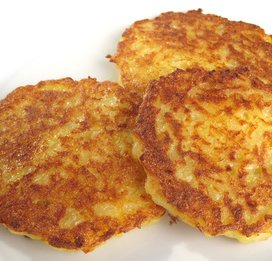
I was going along to go and get a second Krakauer, but I thought I'd be best off seeing what the rest of the place had to offer first. However, tired with standing at the table in the lovely warm log cabin, my mum decided we'd be better off sitting down somewhere quiet and out of the way, where we could watch the animatronic moose. She disappeared off for a while, and returned with a trio of fresh potato cakes, which were liberally covered in apple sauce and sugar. Except they weren't, due to um, a mixup on my mum's part I guess. Removing most of the salt from the apple sauce, I ate the majority of the apple sauce, and most of a potato cake, before it turned cold and I lost interest. At this point we were joined by a quartet of Japanese tourists, who I seem to remember seeing take photos of each other.


Eventually, we carried on our tour of the place, before, to my absolute delight, I found a place dealing exclusively in honey and mead. Mead, if you don't know, is kind of like a wine or beer. Like a wine because it's sweet, like a beer because it's made with yeast. It's an old old drink, many thousands of years old (it was especially popular in the early middle ages (500-1500AD)), and is made chiefly with honey, water, and yeast. The alcohol comes from the fermentation of the sugars in the honey.

Now, as a fan, both of all things medieval and especially of Skyrim, in which mead is every other character's favourite drink, I'd been itching to give it a go, and so I did, as they were offering around free samples.
Mead tastes like warm runny honey, with just enough alcohol to make your throat burn slightly. It's really lovely, and so I bought a couple of bottles more or less right there. One of normal mead, the other of Spiced mead (technically a metheglin), dramatically labelled "Feuriger Drache" (Firey Dragon), which featured a lovely warm seasonal image of a slavering dragon with a rather expensive looking sword through its throat (no, really, I'll prove it later).
Mead is an absolute bugger to get hold of, so finding a place completely dedicated to it was fantastically good fortune, and cheered me up even more.

A final tour around, and off we wandered towards Harrods. Before we got there though, we had to take a detour down past a bit of grassy parkland, covered in autumns dry leaves, and absolutely frantic with squirrels (if 8 or 9 in a small area of grass is absolutely frantic).

These little dudes jumped about, searching under leaves for each other's food caches, and occasionally, bounding up to people. You see, there are so many people in and around hyde park, day in day out, that the squirrels are absolutely, totally and completely unafraid of people. Even as my mum rested against the iron fence, one individual hopped on top and came to see if she had any food, even going so far as to climb over her arm (this was repeated by a pigeon a few moments later).

I encouraged the attention of one squirrel in particular, who (without giving me opportunity to get any decent pictures), hopped over to the fence, between the bars, and stopped right at my feet. After a brief pause, (and I have a witness, my mum is my witness) said squirrel then jumped onto my leg, and climbed, bit by bit, up it, before disappearing round my back, much to the amusement of the people around me. He didn't seem bothered by the fact I was twisting around trying to see what he was up to, and seemed quite comfortable nestling under my backpack, in the small of my back. After a short time, he hopped down to the ground, presumably satisfied (or perhaps dissatisfied) that I didn't have any food for him.

A few moments later, another squirrel (or maybe the same one?) climbed the leg of a small girl, who was nearby, before hopping onto the fence nearby, where a couple of other tourists somehow convinced it to stay perfectly still for me to take a few pictures :-).

And yes, off to harrods.

Harrods, wow. Even by its own standards, it was absolutely ridiculously full of people. The only way to move from one room to another was to basically pick a flow of "traffic" that was going in the right direction, and to try and join that flow.
We stayed in harrods just long enough to get wound up and severely annoyed with the crowds.

After that, we went to another few places. We went to Trafalgar Square, to see the olympic countdown clock thingumy.

We went to Garfunkel's for a quick meal, where we met a nice family from Norwich (thus confirming my suspicion that no one you meet in London is actually from London).

And finally, we went to Fortnum & Mason, which is apparently a very popular and prestigious department store. It's famous for being the first place in the UK to sell Heinz Baked Beans, and the birthplace of the Scotch Egg. Yummy.
Admittedly, its decor, based mostly around seminaked Vaudeville style mannequines wasn't really to my taste, and would have looked more in place in the Rocky Horror Picture Show, but hey, it's a privately owned business, so I suppose they can decorate the place how they want :-).

After that, we zoomed off to a pub, before catching the coach home.

And that's that. A nice, festive, if tiring day, out.

Some pickatures. In no particular order whatsoever, of course:


PART TWO: Gainsborough.

No sooner had I got to sleep after returning to London, than it was time to go to Gainsborough. The day was bright, the sky was clear (I think) and I was looking forward to it.

Arriving in Gainsborough, we went straight to the hall and wandered around looking at the lovely stuff that people were selling. As in London, varieties on a theme of hand made clever stuff were being sold throughout the hall. We did our traditional sitting down by the fire in the kitchen for a while, then went out to watch a sextet (it's a word) of minnie dancers (like morris dancers, but female I guess) who were quite capable of doing some interesting dance moves using nothing more than two shoefulls of bells and some bits of rope.

I have to admit, Morris Dancing's not really my thing, but they seemed to be enjoying themselves (with the exception of one woman who looked like she was there for a bet), and this was a medieval themed day after all, and so we watched for a while before heading off into the town.
There, I took the opportunity to do some shopping, buying a couple of inexpensive stocking fillers, before we had a small wander round what Gainsborough calls "A christmas market". I have to admit, in comparison to winter wonderland, it left me a bit underwhelmed, but since it was technically approaching Christmas time, and it was a market, it didn't feel fair to complain. Besides, I was in a happy christmassy mood :-).

A short car journey later, via the jeweller's with the unfortunate typeface (he has CHANGED his sign, so it's no longer unintentionally rude!), and we were at the local garden center, exploring their christmas decoration department, and trying to ignore their absolutely horrifically bad CD of musical nobodies (all with a diploma in writing severely dated 1980s gameshow theme tunes) butchering a few of my festive favourites. I recorded 3 home videos in the same room as that CD, two of which I have since deleted, I hate the music that much.Hammond organs do not belong in Christmas carols :P.

After that, off home, where I relaxed until I went to bed :-).

So yeah, we're getting slightly more christmassy than normal. Could still do with some snow though!